One covered square, one mine
The middle 1 needs one mine around it. Only the top-right square is covered. The other nearby squares are open and safe. So the top-right square has the mine.
Open every square that has no mine. Each number counts the mines that touch it, including at the corners. Follow the examples to find safe squares and mines. Then try an easy board with hints.
Read a number, compare nearby squares, then choose a safe move. Try the two small boards below.
A number counts mines in the squares around it, including the corners. There are up to eight nearby squares. A 1 means one mine, and a 2 means two. A blank open square has no mines around it.
Open every safe square to win. Opening a mine ends the game. Flags are optional. minesweeperpatterns opens the center for you. Start by reading the numbers around that opening.
Right-click a covered square to flag it. On a Mac trackpad, use a two-finger click. You can also hold Shift and click. On a phone, press and hold. Repeat the action to remove the flag. Check each flagged mine against the numbers.
Use the numbers to choose your next move. Include the corners when you count. Squares outside the picture are open. Each flag marks a known mine.
Select every square you can prove has a mine.
The 1 counts one mine around it. The seven open squares are safe, so the mine is in the top-right square. Place a flag there to mark the mine.
Use the numbers to choose your next move. Include the corners when you count. Squares outside the picture are open. Each flag marks a known mine.
Select every square you can prove safe.
The top-left mine is the one mine that the 1 counts. A mine at the top right would make two. So the top-right square is safe to open.
Easy: 9 × 9 squares, 10 mines. Medium: 16 × 16 squares, 40 mines. Hard: 30 × 16 or 16 × 30 squares, 99 mines. Your first visit starts on Easy on a narrow screen, or Medium on a wide screen. The Hard board turns to fit your screen.
Each new game opens the center safely with an animation. The numbers let you find at least one safe next move. Later, you may need to guess.
Click to open · Right-click or Shift-click to flagTap to open · Press and hold to flag · Drag to move · Pinch to zoom
When the flags around an open number match its count, click that number to open the other covered squares around it. This is called chording. Check each flagged mine with the numbers first. A wrong flag can cause you to open a mine.
Use the arrow keys to move between squares. Press Enter or Space to open a square. F adds or removes a flag. N starts a new game. Your best times stay in this browser.
Look at every square around a number, including the corners. The number counts the mines in those squares. The middle number in each example touches eight squares.
The middle 1 needs one mine around it. Only the top-right square is covered. The other nearby squares are open and safe. So the top-right square has the mine.
The flagged top-left square is a known mine. It is the one mine counted by the middle 1. So the covered top-right square is safe. Count a flagged square as a mine once the numbers prove it.
Turn on Hints above the board. On a computer, move the pointer to see nearby hints. On a touchscreen, hints appear across the board. A small hollow circle marks a safe square. A faint mine icon marks a mine. Choose a square to open or flag.
Hints use the visible numbers and the total mine count. They update after each move. Read the nearby numbers, then check the hints.
Three covered squares sit above 1-2-1. All other squares around these numbers are known to be safe.
The 2 needs two mines in the three covered squares. Suppose the middle square has a mine. Each 1 would then make its outer square safe. That leaves only one mine for the 2. So the middle is safe, and both ends have mines.
Check every square around each number. The three shown squares must be the only ones still unknown. Subtract any known mines that touch each number. Apply the pattern when the remaining counts are 1-2-1.
Yes. Turn on Hints above the board. On a computer, move the pointer to see nearby hints. On a touchscreen, all hints stay visible. A small circle marks a safe square. A mine icon marks a mine. Hints use the visible numbers and total mine count. Choose a square to open or flag.
Right-click a covered square, or hold Shift and click it. On a touchscreen, press and hold the square for about 0.4 seconds. Repeat the action to remove the flag. With a keyboard, use the arrow keys to choose a square, then press F.
Open every square without a mine to win. You can use flags to remember where you think mines are. You can also win without flags.
Each game starts with a safe opening in the center. The numbers let you find at least one safe next move. Read those numbers to choose a square.
Some boards need a guess. The starting numbers let you find at least one safe move. Later, check nearby numbers before choosing your next move.
The timer starts when you first open a square or add or remove a flag. That action must change the board. The timer stays at zero during the automatic opening and while you move between squares.
The lower-left 1 proves that A at the top left has a mine. Flag A. The lower middle 2 now touches two flagged mines. Click that 2 to open B at the top right. B shows 1. Use this new number to find your next move.
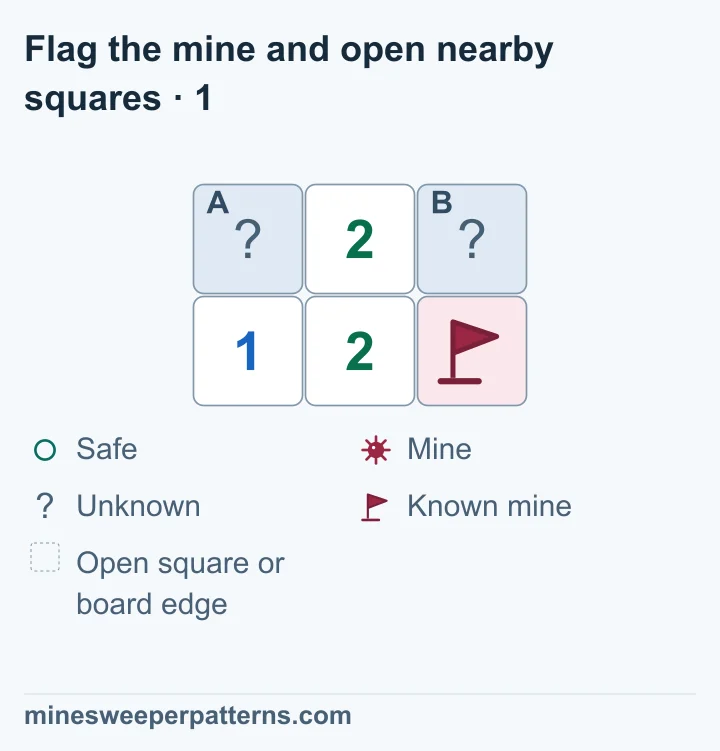
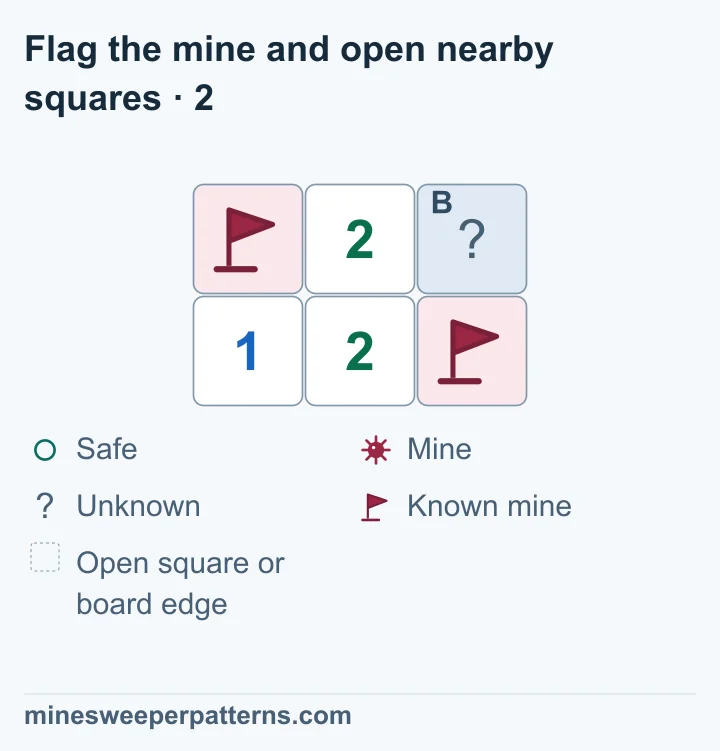
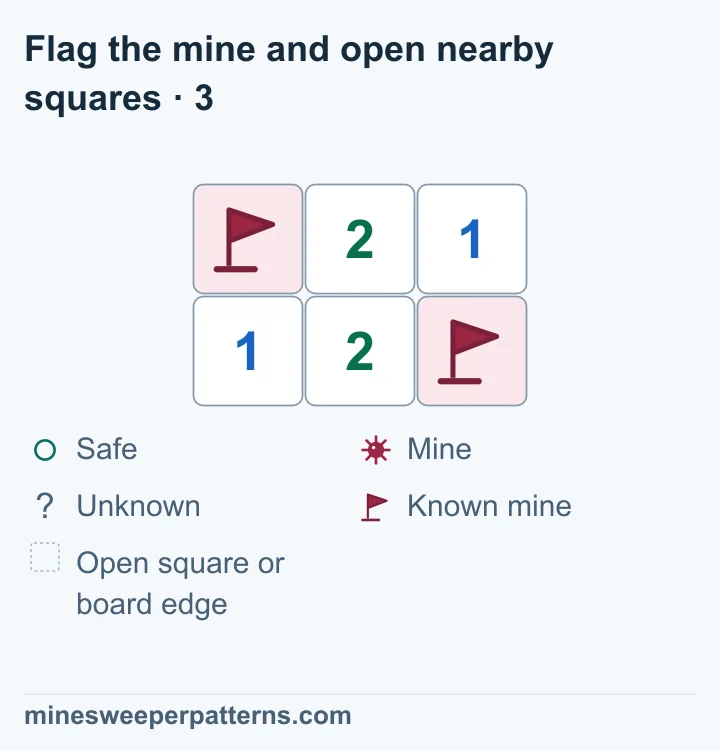
Check each flagged mine with the numbers. When the flag count matches an open number, clicking it opens all its other covered neighbors.
Start a practice round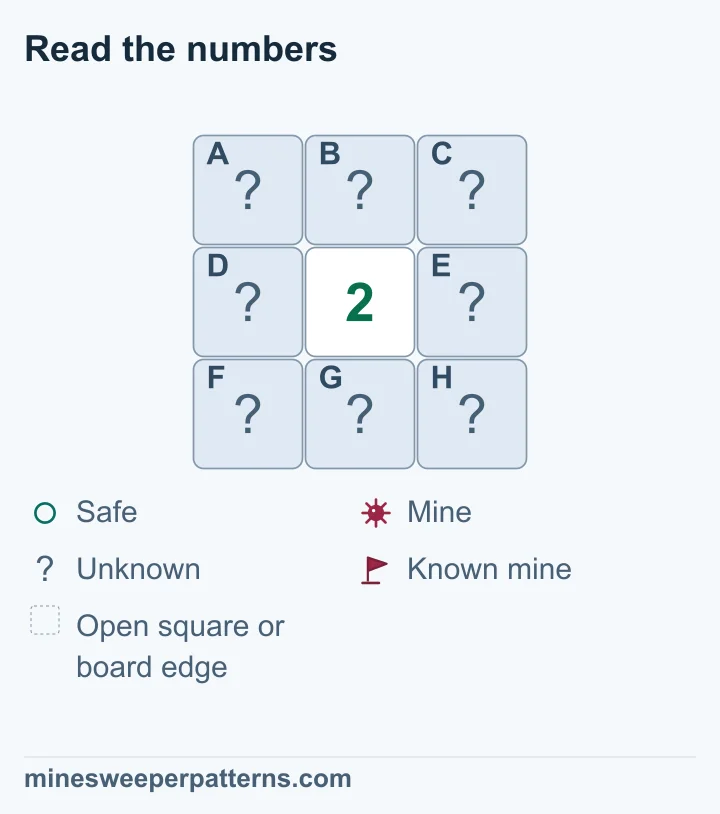
Your game records stay in this browser on this device.